
Codex Plans
Codex plans are managed by credit amount + validity period. Common forms include monthly, weekly, and daily plans. After purchase, the system automatically generates a subscription access key. You can use it directly, or create child keys from the plan for team members or other users.
View available Codex plans.
1. Plan Description
- The plan includes available credit and a validity period.
- Benefits expire after the plan validity period ends.
- Whether credit resets daily, weekly, monthly, or on a custom cycle depends on plan configuration. Some daily usage limits can be disabled in plan management to consume total plan credit instead.
- Team management and multi-user usage are supported. Different credit amounts fit teams of different sizes and usage intensity.
- Calls made through keys created from the plan are counted against the same total plan credit.
- Invoices are supported.
2. Billing Scope
- Plan credit: total or periodic credit available in the plan.
- Validity period: monthly, weekly, daily, or another time limit.
- Reset rule: no reset, or reset by day, week, month, or custom cycle.
- Applicable scope: available models, groups, and API types are subject to the plan page.
- Key consumption: both the automatically generated subscription key and team keys created from the plan consume the same plan credit.
3. Before Purchase
- Plan validity period.
- Total plan credit and periodic credit.
- Whether the model used by your tool is included in the plan.
- Plan benefits, available models, groups, reset rules, and after-sales rules.
- Whether the credit amount matches team size, member count, and expected usage intensity.
- Whether you need to create separate keys for team members or services, with key credit and expiration controls.
4. Purchase and Renewal
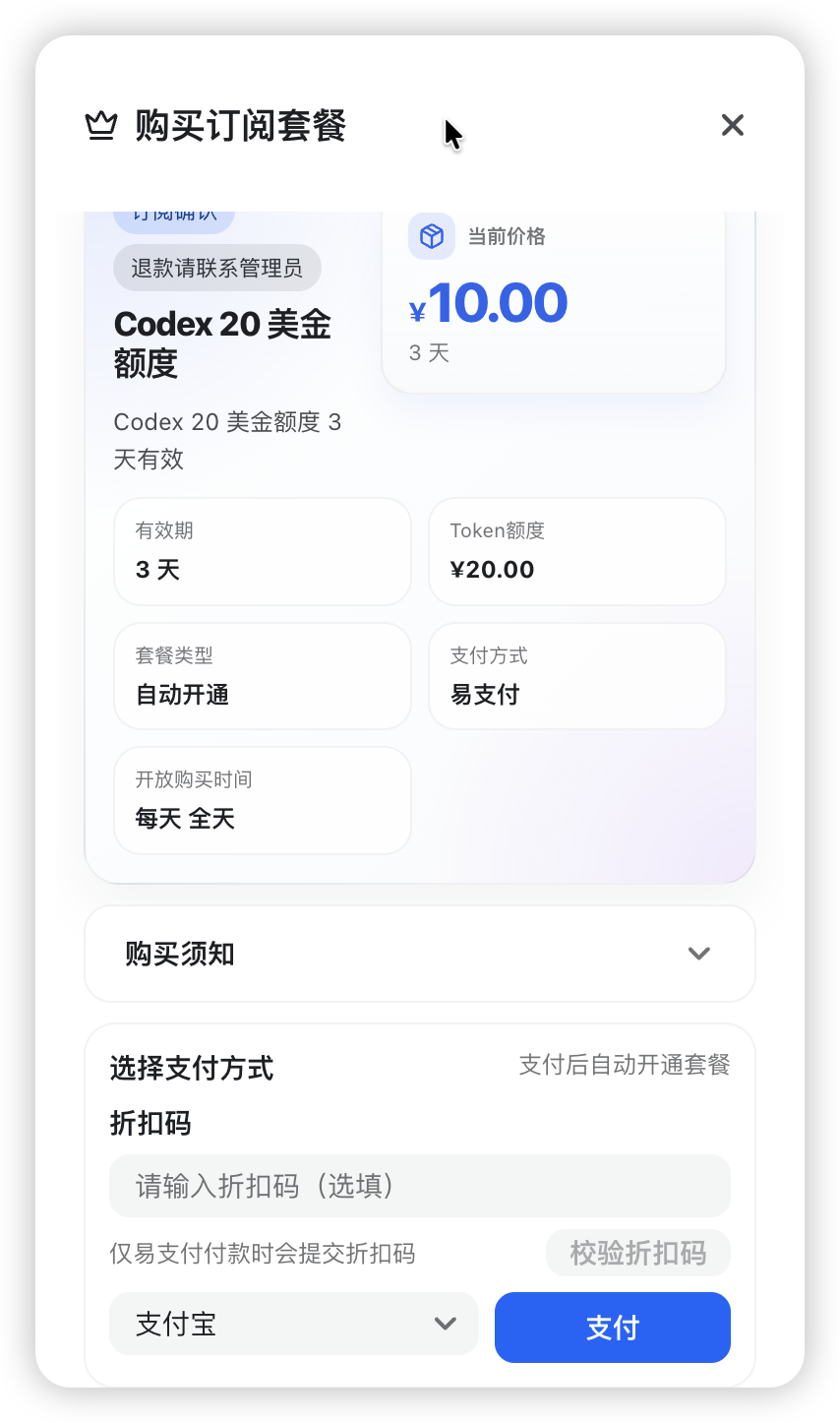
Users can buy Codex plans from the plan management list and plan details page. On the purchase page, confirm benefits, validity period, credit amount, purchase window, payment method, and purchase notes before payment.
Renewal requires all of the following:
- The plan is still valid.
- The plan has not been removed from sale.
- Renewal is enabled for the plan.
- The current time is within the renewal window allowed by the plan.
Usually, renewal is available within 3 days before expiration. After expiration, keys become unavailable and you need to repurchase or contact after-sales support. The exact renewal window follows the plan page.
5. Discount Codes
If you have a discount code, enter and validate it during purchase. It only takes effect if validation succeeds and the current payment method supports it. The final payable amount and discount rules follow the purchase page.
6. Automatic Subscription Key After Payment
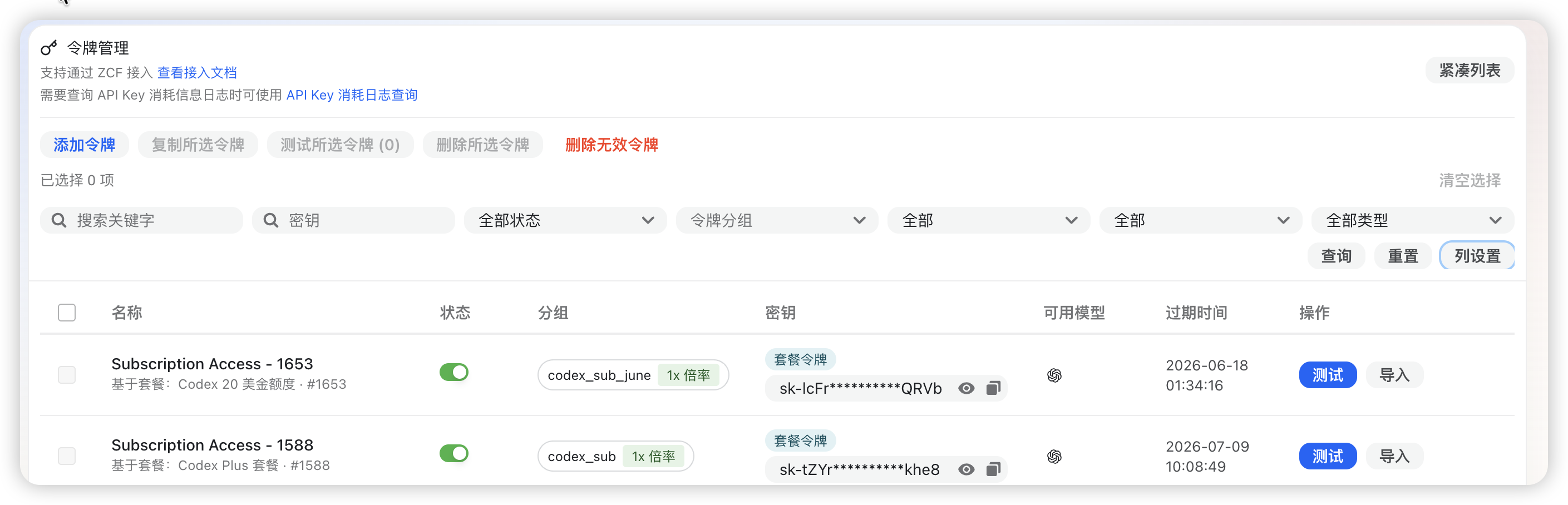
After successful payment, the system automatically creates a subscription access key in Console -> Token Management. The key name prefix is:
Subscription Access - plan idThis key is bound to the purchased plan and inherits its credit, validity period, groups, model limits, and other rules.
7. Create Team Keys from the Plan
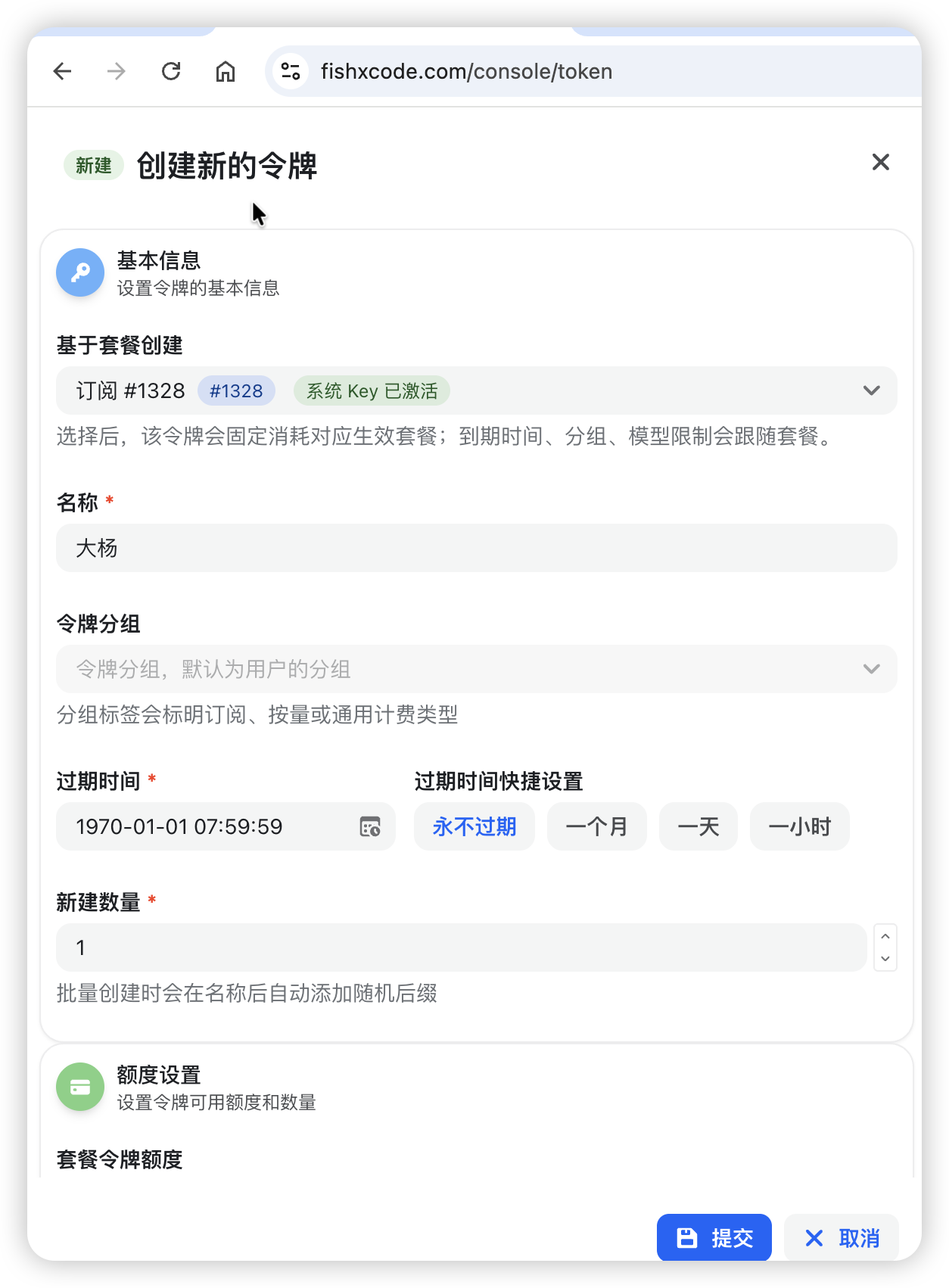
The buyer can create new keys from the plan in Console -> Token Management for team members, project services, or other users.
Confirm these fields when creating keys:
- Create from plan: select the corresponding subscription plan.
- Name: identify the member, project, or service.
- Key group: use the user's default group or choose another group if needed.
- Expiration time: control how long the key can be used.
- Quantity: batch creation adds random suffixes to names.
- Subscription key credit: limit the maximum plan credit this key can consume.
Team key consumption is counted against the original plan's total credit. Create independent keys for different members, projects, or services to make statistics, limits, and troubleshooting easier.
8. Usage Logs and Team Metrics
Usage records for subscription keys and team keys can be queried in Console -> Usage Logs. For a single request, filter by time, model, token, group, request ID, or status code. See Error Logs for field meanings.
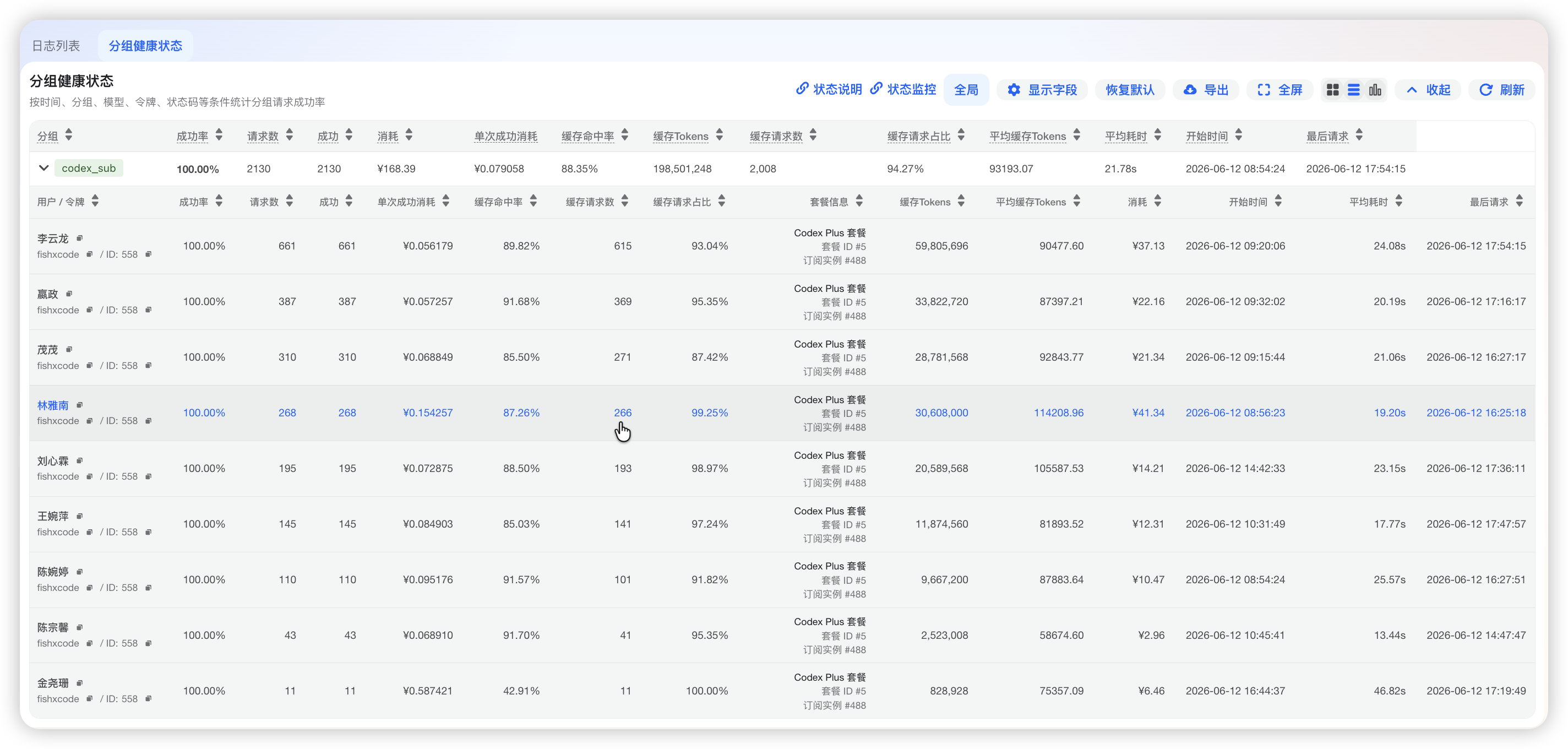
Team metrics are available in Usage Logs -> Group Health Status. This view can aggregate request count, success rate, consumption, cache hit, average latency, and last request time by group, user, and key. See Group Health Status for details.
9. Expiration and Limits
After the plan expires, the automatically generated key and all team keys created from the plan become unavailable.
After reaching a periodic credit limit, you can disable the plan limit in plan management so later requests continue to consume total plan credit. Whether this is available and how it takes effect follow the plan management page.
If total plan credit is exhausted, contact us for direct renewal and try to keep the current plan and original keys. Direct renewal avoids generating a new Key after repurchase, reducing update work for team members, project services, and client configurations.
If the plan is still in the renewal window and supports renewal, you can renew it. Otherwise, repurchase or contact after-sales support to confirm whether direct renewal is possible.
10. Refunds
Refund rules follow the purchase page, plan description, and Refund Policy. For delivery, key, or credit issues, provide the order number, plan name, key name, request time, and request ID.